


- About us
- Services
- E-Commerce Development
- White Label Marketing
- Digital Marketing
- Mobile App Development
- Other Services
-

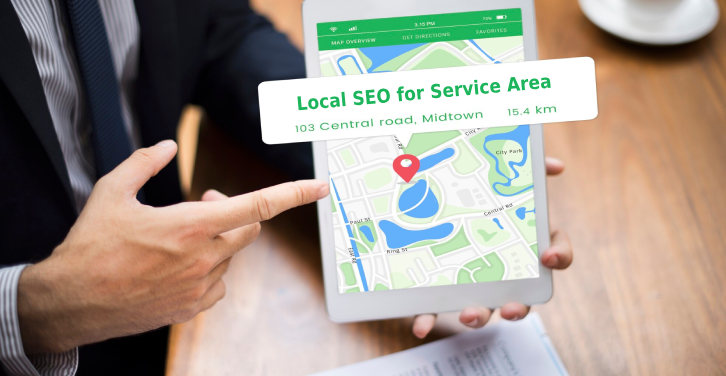
Running a service area business means you’re out and about, helping customers at their locations. Think plumbers, electricians, or even mobile groomers. Unlike shops with a storefront, your main market is defined by where you travel. Getting found online, especially on Google Maps, is super important. This guide is all about making sure people in your service areas can find you when they need you, focusing on local SEO for service area businesses.
So, what exactly is a service area business, or SAB? Basically, it’s a company that goes to its customers. Think plumbers, electricians, mobile dog groomers, or HVAC repair folks. Unlike a shop where people come to you, your business travels to them. This means your service area, the places you cover, is super important for your business. You don’t have a physical storefront that people can just walk into, so your online presence needs to work differently. Google needs to know where you operate to show you to the right people. The key difference is that you serve customers at their location, not at yours.
Not having a physical address to point to presents some unique hurdles for local SEO. It can be trickier to establish that local authority when Google can’t pinpoint a single spot. You can’t rely on people searching for ‘plumber near me’ if they don’t know where you are. However, this also opens up a big opportunity. You’re not limited to just one neighborhood. You can serve a much wider region, reaching more potential customers. It’s about proving your relevance and trustworthiness across all the areas you cover, not just one spot. This means focusing on things like customer reviews and how well your website talks about the specific areas you serve.
For service area businesses, ranking in Google Maps is a really big deal. When someone needs a service like yours, they often pull out their phone and search on Google Maps. If you’re not showing up there, you’re missing out on a lot of potential business. Since customers aren’t coming to a physical location, Google Maps becomes the primary way they find you. It’s not just about being listed; it’s about being visible when someone in your service area is actively looking for what you do. Getting that spot in the local pack or on Google Maps means you’re front and center for those high-intent searches. It’s about making sure Google’s ability to rank businesses is strong for your company in all the right places.
When you run a service-area business (SAB), your Google Business Profile (GBP) setup needs a bit of a different approach than a brick-and-mortar store. The main goal is to tell Google exactly where you work without necessarily showing a physical address to customers. This is key for showing up when people search for your services in different towns or neighborhoods.
This is probably the most important step for SABs. When you’re setting up or editing your profile, you’ll get to a section where you can define the areas you serve. Instead of just picking a radius, you can actually list out specific cities, towns, or even zip codes. This helps Google understand your reach much better.
For many SABs, it’s best to not show a physical address on your Google Business Profile. If you don’t have a storefront that customers visit, you should leave the ‘business location’ field completely blank. This tells Google you’re a mobile business that travels to customers. Trying to use a home address that isn’t customer-facing can sometimes cause issues with how Google displays your business, especially if it’s not in a central location within your service area.
When you don’t have a physical location customers visit, hiding your address and defining your service area is the correct way to let Google know where you operate. This prevents confusion and helps you rank in the right places.
Your GBP isn’t just for basic info; it’s a content platform too. Use the ‘Posts’ feature to share updates, special offers, or even highlight recent projects. When you do this, try to mention the specific areas you’ve worked in. For example, a post could say, “Just finished a great deck staining project in Springfield!” This adds context for both customers and Google.
Reviews are also a form of content. Encourage customers to leave reviews that mention the specific town or neighborhood where they received your service. This is incredibly powerful for proving your local presence across your entire service area.
So, you’ve got your Google Business Profile set up and your website is looking sharp. That’s a great start, but to really get noticed in local searches, especially on Google Maps, you need to build up your business’s authority and show how relevant you are to the communities you serve. Think of it like becoming the go-to expert in your neighborhood. Google wants to send people to businesses that are well-known and trusted locally.
Google ranks local businesses based on proximity, relevance, and prominence. Understanding these Local SEO ranking factors is key. Prominence is all about how well-known and respected your business is. This isn’t just about how many people visit your website; it’s about your overall online presence and reputation. Relevance means how well your business matches what the searcher is looking for. If someone searches for ‘plumber near me,’ Google looks for plumbers who offer that service and have a strong local connection. For service area businesses, proving both prominence and relevance across all your service areas is the real challenge.
Customer reviews are like gold for local SEO. They tell Google (and potential customers) that people trust you and like your work. But for service area businesses, it’s not enough to just get reviews from your home base. You need to actively encourage happy customers from everywhere you serve to leave a review. This shows Google you’re active and trusted in those specific locations. Try asking satisfied customers directly after a job is done, or send a follow-up email with a link to your review page. Make it as easy as possible for them.
Here’s a quick breakdown of how to get more reviews:
Getting reviews from different parts of your service area is a strong signal to Google that you’re a legitimate and active business in those locations, not just a business that happens to drive through them.
Link building is still a big deal in SEO, and for local businesses, it’s about getting links from other local and relevant websites. Think about partnering with complementary businesses in your service areas for a link exchange, or sponsoring a local event and getting a link back from their website. Getting listed in local directories is also important, but make sure they are reputable and actually used by people in your area. The goal is to create a web of trust that points back to your business, showing Google you’re a part of the local fabric.
Some effective local link building tactics include:
Making sure your website shows up when people in your service areas are looking for what you do is a big part of local SEO. It’s not just about having a website; it’s about making it work hard for you in local searches. This means getting the technical stuff right and making sure Google understands where you operate and what you offer.
Think of schema markup as a special language that helps search engines like Google understand the information on your website better. For service area businesses, this is super helpful. You can tell Google exactly what your business name is, where you’re located (even if you don’t have a storefront), your operating hours, and even the specific services you provide. This structured data makes it easier for Google to pull your information and display it accurately in search results, especially in those map packs.
It’s like giving Google a cheat sheet for your business. The more clearly Google understands your details, the more likely it is to show your business to the right people.
NAP stands for Name, Address, and Phone number. These details are like your business’s digital fingerprint. It’s really important that your NAP information is exactly the same everywhere it appears online – on your website, on social media, in online directories, and anywhere else your business is listed. Inconsistent information can confuse Google and potential customers. If your address or phone number is slightly different on one site, Google might not trust the information as much, and customers might have trouble reaching you.
Keeping your NAP details consistent across the web builds trust with search engines and makes it easier for customers to find and contact you. It’s a simple step that has a big impact.
If you serve multiple towns or neighborhoods, it’s a good idea to have dedicated pages on your website for each of those areas. Instead of just having one general ‘Services’ page, create pages like ‘Plumbing Services in [Town A]’ or ‘HVAC Repair in [Neighborhood B]’. This tells Google very clearly that you serve these specific locations. You can then fill these pages with content that is relevant to that particular area, like mentioning local landmarks or common issues specific to that region. This makes your website much more relevant to someone searching from that exact spot.
This approach helps you rank better for searches that include those specific location names, bringing more targeted traffic to your site.
Creating content that speaks directly to the people in the specific towns or neighborhoods you serve is a smart move for service area businesses. It’s not just about having a website; it’s about making that website a go-to resource for local folks looking for what you do. Think of it as planting flags in each area you cover, showing Google and potential customers that you’re truly part of their community.
This is where you get to be a bit of a local expert. Instead of just talking about your services in general, focus on topics that matter to people in specific locations. For example, if you’re a landscaper, you could write about common lawn pests in a particular county or the best times to plant certain flowers in your region. If you’re a plumber, maybe discuss how hard water in a certain town affects pipes. The goal is to answer local questions before they’re even asked.
Here are some ideas to get you started:
Service area businesses (SABs) have a unique situation when it comes to appearing in Google Maps. Since you don’t have a physical storefront customers visit, your listing is built around the areas you serve, not a specific pin on the map. This means you can still show up in Google Maps and the coveted Local Pack, but it requires careful setup in your Google Business Profile. You need to accurately define the cities, zip codes, and regions you cover. This helps Google understand where you operate and show your business to people searching in those areas.
Getting your SAB to show up in Google Maps and the Local Pack is all about telling Google exactly where you work. When you set up your Google Business Profile, make sure you’ve entered your service areas correctly. This is how Google knows to show you to potential customers who are looking for your services nearby. It’s a bit different than a brick-and-mortar store, but just as important for getting found.
Because SABs don’t have a physical location to display on the map, Google introduced Local Services Ads (LSAs). These ads appear at the very top of the search results page for specific service-related searches. They highlight important information like customer reviews and whether you have the “Google Guaranteed” badge. LSAs are designed to give searchers confidence in the service providers they see at the top of the results. They’re a paid feature, and the cost can vary, but they can be a really effective way to get in front of people actively looking for what you do.
To rank well in areas beyond your home base, focus on building local authority across all the places you serve. This means getting reviews from customers in those different towns and cities. Also, try to get local links from businesses or directories within those specific service areas. Creating content that speaks to the needs of people in those particular locations can also make a big difference. Think about blog posts or case studies that mention specific towns or neighborhoods you work in. It shows Google you’re a real presence in those communities, not just someone passing through.
So, getting your service area business to show up on Google Maps isn’t just about having a listing; it’s about making sure Google knows exactly where you work and that you’re a solid choice for people in those areas. We talked about setting up your Google Business Profile right, especially if you don’t have a physical shop. Remember to keep your business info the same everywhere online, get those good reviews, and create content that actually helps people in the towns you serve. It takes a bit of work, sure, but putting these steps into practice can really make a difference in getting found by more local customers.
A service area business is a company that goes to its customers’ locations to provide services. Think of plumbers, electricians, or mobile pet groomers. They don’t have a shop people visit; their main market is the area they cover.
Google Maps is a big deal because many people use it to find local services. When someone searches for something like ‘plumber near me,’ showing up on Google Maps means you’re more likely to be found and chosen by potential customers.
You can set your service areas directly in your Google Business Profile. You can list specific cities, zip codes, or other areas you cover. If you don’t have a physical store, you can even leave your business address blank.
Local Services Ads are special listings that show up at the very top of Google search results for certain services. They highlight important information like your business’s reputation and services, helping customers find trusted providers easily.
Encourage happy customers from all the areas you serve to leave reviews. Positive reviews build trust and show Google that you’re a reliable business, which helps you rank higher in local searches.
NAP stands for Name, Address, and Phone number. It’s super important that this information is the same everywhere online, like on Yelp or other local directories. Keeping your NAP consistent helps Google trust your business and makes it easier for customers to find you correctly.
© Copyright 2026 F5 Buddy Pvt. Ltd.. All Rights Reserved
 Career
 Woo-Commerce
